Code::Blocks is an open-source integrated development environment that supports multiple compilers, including GCC, Clang, and Visual C++. It was developed in C++ using wxWidgets like the GUI toolkit. Using a plugin architecture, its capabilities and features are defined by the provided plugins. It is oriented toward C, C++, and Fortran.
Code::Blocks is a free, open-source, cross-platform C/C++ and Fortran IDE designed to meet the most demanding needs of its users. It is designed to be highly extensible and fully configurable.
Built around a plugin framework, Code::Blocks can be extended with plugins. Any type of functionality can be added by installing or coding a plugin. For example, event compilation and debugging functionality is provided by plugins.
Because Dev-C++ is an IDE for C and C++ and is built in Delphi, the idea and need arose to create an IDE based on the appropriate languages: C and C++. This motivated Code::Blocks.
Code::Blocks is licensed under the GNU General Public License and is available for Windows, Linux, and macOS, and has been ported to FreeBSD, OpenBSD2, and Solaris.
Characteristics
Highlights:
- Open source! GPLv3, no hidden costs.
- Cross-platform. Runs on Linux, Mac, Windows (uses wxWidgets).
- Written in C++. No interpreted languages or proprietary libraries required.
- Extensible through plugins
Compiler:
- Multi-compiler support:
- GCC (MingW / GNU GCC)
- MSVC++
- clang
- Digital Mars
- Borland C++ 5.5
- Open Watcom
- …and more
- Very fast custom build system (no makefiles needed)
- Support for parallel compilations (using your CPU's additional cores)
- Multi-objective projects
- Workspaces to combine multiple projects
- Dependencies between projects within the workspace
- Import MSVC projects and workspaces (NOTE: Assembly code is not yet supported)
- Import Dev-C++ projects
Scrubber:
- GNU GDB Interfaces
- Also supports MS CDB (not all features)
- Full breakpoint support:
- Code breakpoints
- Data breakpoints (read, write, and read/write)
- Breakpoint conditions (break only when an expression is true)
- Breakpoint ignorance counts (break only after a certain number of visits)
- Display local function symbols and arguments
- User-defined observations (support for observing user-defined types via scripting)
- Call stack
- Disassembly
- Custom memory dump
- Switching between threads
- View CPU logs
Interface:
- Syntax highlighting, customizable and extensible.
- Code folding for C, C++, Fortran, XML, and many more files.
- Tabbed interface
- Code completion
- Class Navigator
- Smart Sangria
- One-key swapping between .h and .c/.cpp files
- Open file list to quickly switch between files (optional)
- Customizable external “tools”
- Managing task lists with different users
And many more features provided through plugins!
Installing Code::Blocks on Debian 12, MX-Linux 23.2
First, make sure you have the software necessary to compile and debug programs.
- Install the compiler.
$ sudo apt-get install build-essential
- Install the debugger.
$ sudo apt-get install gdb
The xterm program is an X Window System terminal emulator for Code::Blocks
$ sudo apt install xterm
You will need to install wxWidgets to use Codeblocks
Install wxSmith graphics library development files
$ sudo apt-get install wxsmith-headers
- Install the wxWidgets library.
$ sudo apt-get install libwxgtk-gl3.2-1 libwxgtk3.2-1
- 4. Install the wxWidgets development packages. (This is used to develop your own wxWidgets applications.)
$ sudo apt-get install libwxgtk3.2-dev
5.(OPTIONAL) Install the wxWidgets documentation.
$ sudo apt-get install wx3.2-doc
To install the full Codeblocks IDE we enter this command
$ sudo apt-get install codeblocks codeblocks-contrib
Installing Code::Blocks on Ubuntu 24.04 LTS
First, make sure you have the software necessary to compile and debug programs.
- Install the compiler.
$ sudo apt-get install build-essential
- Install the debugger.
$ sudo apt-get install gdb
The xterm program is an X Window System terminal emulator for Code::Blocks
$ sudo apt install xterm
You will need to install wxWidgets to use Codeblocks
$ sudo apt install wxsmith-headers
- Install the wxWidgets library.
$ sudo apt-get install libwxgtk3.0-4
- 4. Install the wxWidgets development packages. (This is used to develop your own wxWidgets applications.)
$ sudo apt-get install libwxgtk3.0-dev
5.(OPTIONAL) Install the wxWidgets documentation.
$ sudo apt-get install wx3.0-doc
Codeblocks is packaged in separate Debian packages and the packages are archived together in one file. tar.gz.
- Download the tar.gz file to your computer at https://www.codeblocks.org/downloads/binaries/ and extract the files to an empty directory
$ tar xvf codeblocks_*_amd64_stable.tar.xz
- Install all packages at the same time.
$ sudo dpkg -i *.deb
To install Code::Blocks from this PPA, open a terminal and type:
$ sudo add-apt-repository ppa:codeblocks-devs/daily
$ sudo apt-get update
$ sudo apt-get install codeblocks codeblocks-contrib
Installing Code::Blocks on Fedora 39/40
We open a console and execute the following command.
$ sudo dnf install codeblocks codeblocks-contrib
Install CodeBlocks from the command line on Arch
We open a terminal and execute the following command.
$ sudo pacman -Syu codeblocks
Summary
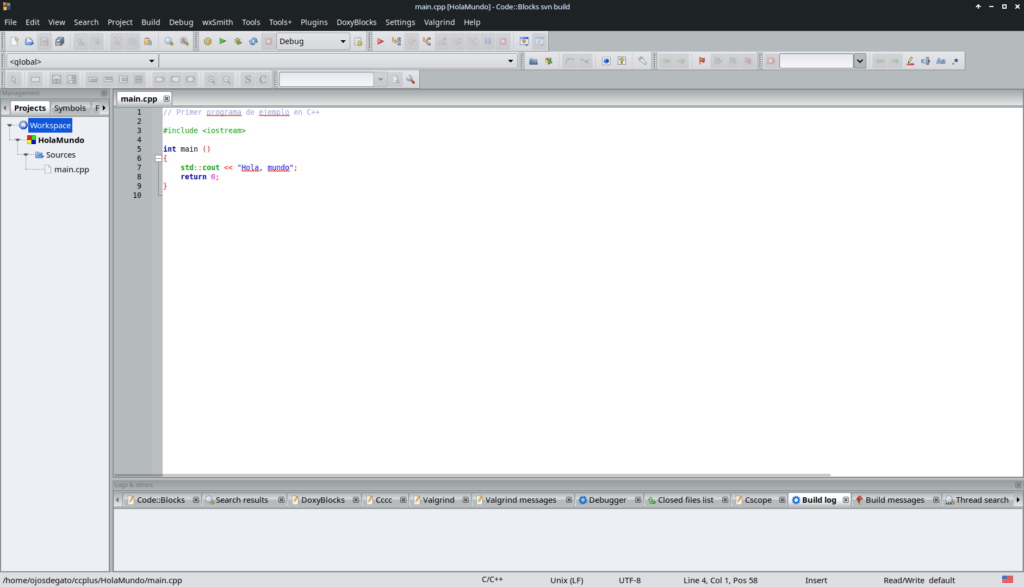
Code::Blocks, the full-featured IDE you need, with a consistent look, feel, and feel across all platforms, for programming in C/C++ and Fortran on Linux and developing open source software.

Descubre más desde javiercachon.com
Subscribe to get the latest posts sent to your email.